
Excellent cross platform screen-sharing and teleconferencing software
One of the problems with teleconferencing software is that it either performs poorly, costs a lot of money, or only works on one platform.
I'm pleased to say that isn't the case with Yugma which is quite simply the best teleconferencing and screen sharing software I've tried. Yugma makes it extremely easy to conduct video teleconferences long distances and in this free version, there's a generous allowance of up to 20 different users sharing at one time. Even better, it doesn't matter if the participants are based on Windows, Mac or Linux - it works on all platforms. Whether you want to conduct a meeting or simply help someone troubleshoot technical problems on their computer, its ideal.
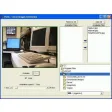
To start a session on Yugma, you need the host to send you an invite code. The procedure to start a meeting is very simple. In the login panel, you have two options - Start Meeting and Join Meeting. You need to have signed-up for a Yugma account to do both, the page for which can be found in the registration link below. If you're joining a meeting, the host will send you a 9 digit code either via Skype or e-mail which you can use to share the users screen. New participants can be added at any time. If you're using Yugma to troubleshoot problems on someone's computer, a new "Take Control" feature allows you to take over control of their machine.
The stability of Yugma is excellent and only rarely will you experience the odd timeout but usually, within a few seconds, the connection is reestablished. The only downside is that this version of Yugma doesn't support audio but if you need to speak, simply use Skype at the same time as Yugma.
Yugma is an excellent application for anyone that needs to perform free and fast teleconferencing, screen-sharing or troubleshooting.
Improved Performance: The server component has been optimized to improve the performance. Server Load Distribution Optimization: This optimization will ensure improved server performance and service stability.
Changes
Improved Performance: The server component has been optimized to improve the performance. Server Load Distribution Optimization: This optimization will ensure improved server performance and service stability.


















User reviews about Yugma
Have you tried Yugma? Be the first to leave your opinion!